
How to scan documents using Notes on iPhone
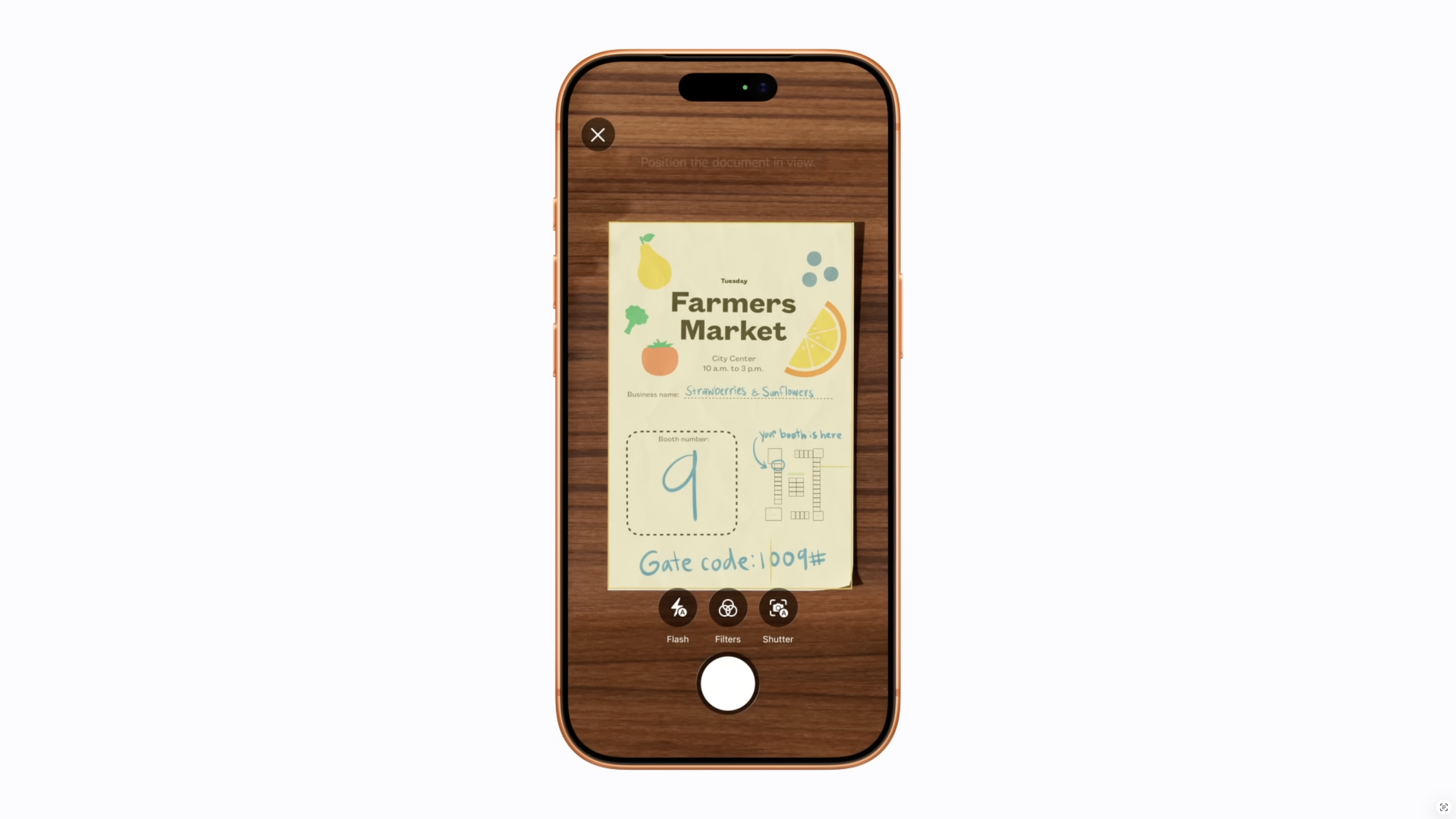
Did you know your iPhone has a built-in scanner?
No extra apps. No complicated setup. Just a quick, easy way to turn paper documents into digital files you can save, share, and access anytime.
Whether it’s receipts, forms, letters, or important paperwork, scanning with your iPhone can help you stay organized and reduce clutter.
Let’s walk through how to do it.
Why Use Your iPhone to Scan Documents?
Scanning documents with your iPhone is:
Quick and convenient – No need for a separate scanner
Easy to share – Send documents by email or text in seconds
Great for organization – Keep everything in one place
Perfect for everyday use – From receipts to important forms
Step 1: Open the Notes App
Start by opening the Notes app on your iPhone.
Tap the Notes icon
Open an existing note or tap the New Note button (bottom right)
Step 2: Access the Scanner
Once you’re inside a note:
Tap the camera icon (usually above the keyboard)
Select Scan Documents
Your camera will open automatically.
Step 3: Scan Your Document
Place your document on a flat, well-lit surface
Hold your iPhone above it
Your phone will:
Automatically detect the document
Capture the scan on its own
If needed, you can also press the shutter button manually.
Step 4: Adjust and Save
After scanning, you can:
Adjust the corners if needed
Crop or straighten the image
Choose a filter (colour, black & white, etc.)
Once you’re happy:
Tap Keep Scan
Then tap Save
Your document is now stored in your note.
Step 5: Share or Send Your Scan
To share your scanned document:
Open the note
Tap the Share icon (square with arrow)
Choose how you’d like to send it:
Email
Text message
Save to Files
Helpful Tips
Scan multiple pages into one document by continuing to scan before saving
Use good lighting for clearer results
Rename your note to stay organized
Store important scans in folders within Notes
A Final Thought
With just a few taps, your iPhone can become a powerful tool to help you stay organized, reduce paper clutter, and keep important documents right at your fingertips.