

Care+
Remote Tech Support for Seniors
Your trusted tech expert, all year long.
Get unlimited email support, monthly remote help, easy-to follow guides, member perks, and more at an affordable price.
$39 / month
Unlimited remote tech help for seniors.
Peace of mind for you & your family.

Why join Silver Wizard Care+?
Technology is constantly changing and new questions always seem to pop up.
Instead of relying on family or waiting for someone to find the time to help, you’ll have a trusted and patient tech expert ready to answer your questions, solve problems, and help you feel confident using your technology.
Silver Wizard Care+ gives you peace of mind knowing you’re never alone when technology gets confusing.
Whether you need help with your iPhone, iPad, Mac, email, passwords, video calls, online accounts, or just have a question, we’re only a message or call away.
What’s included
✔ Unlimited email support
Have a question? Send us an email anytime.
Whether it’s a quick “How do I…?” or something that’s driving you crazy, we’ll help you find the solution.
✔40 minutes of live remote support each month
Need hands-on help?
Book a one-on-one remote support session via:
FaceTime
Zoom
Phone
We’ll securely guide you through problems, answer questions, and help you learn at your own pace.
✔ Video tutorials & guides
Access our growing library of beginner-friendly tutorials covering topics like:
iPhone, iPad, and Mac
Email, Messaging, and Video Calling
Passwords & Internet Safety
Photos, Apps, and more
✔ Member pricing on in-home visits
As a Care+ member, you’ll receive exclusive discounted pricing on our In-Home Tech Support services.
✔ Priority support
Members receive priority scheduling whenever possible, helping you get assistance sooner when you need it most.
What we can help with
Explore our range of services designed to help you move forward with confidence, wherever you're headed next.
-
iPhone and Android support
iPad assistance
App installation
Email setup
Photo management
Contacts and calendars
Device updates
Storage issues
-
Slow computers
Windows and Mac troubleshooting
Software installation
File organization
Email issues
Password assistance
System updates
-
Streaming services
Video calling
Bluetooth devices
-
Scam prevention
Suspicious emails
Fake pop-up warnings
Password security
Privacy settings
How it works
Let’s make technology simple, safe, and stress-free — together.
Book your free consultation today and take the first step toward digital confidence.
-
Choose a convenient day and time online or contact us by phone.
-
At your appointment time, we’ll call you and guide you through joining a secure remote support session. No technical experience is required — we’ll walk you through every step.
-
With your permission, we can securely view or control your device to diagnose and resolve many issues while you watch and ask questions.
-
We’ll make sure everything is working properly before ending the session, and we’ll answer any questions you have along the way.

Who is Silver Wizard Care+ for?
Silver Wizard Care+ is perfect for individuals and families who:
Want ongoing access to a trusted tech expert
Use an iPhone, iPad, Mac, or Android Phone
Prefer friendly, patient support without confusing jargon
Have technology questions throughout the year
Want to become more confident using their devices
Don’t want to rely on family every time something goes wrong
It’s also a thoughtful and affordable solution for adult children who want to ensure their parents have reliable technology support whenever they need it.
“The help that my mom has received from Silver Wizard has been invaluable. Highly recommended.”
★★★★★
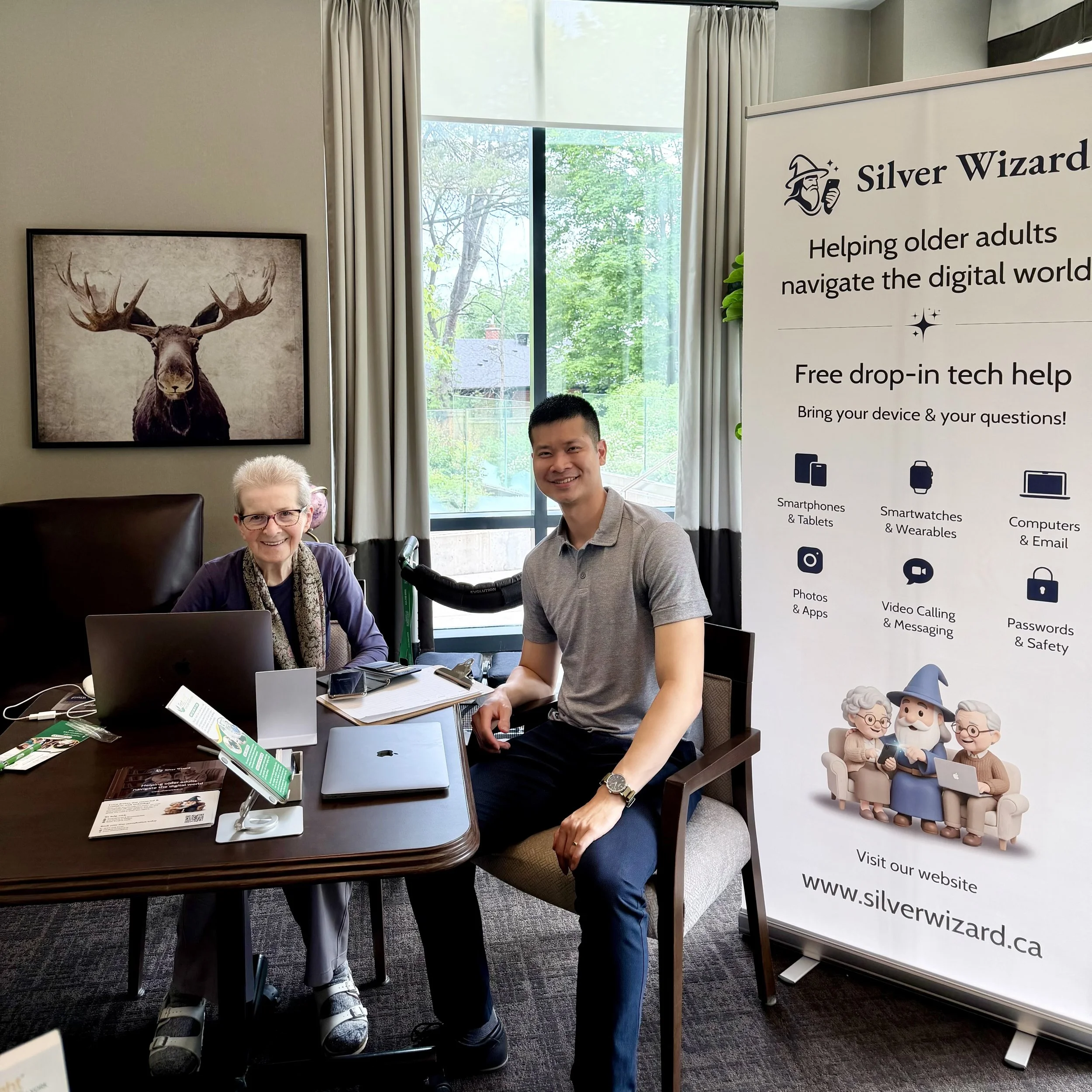
Why choose Silver Wizard?
Unlike traditional tech support companies, we specialize in helping older adults. We understand that technology can sometimes feel frustrating or overwhelming, and we never rush or talk in technical jargon.
When you work with Silver Wizard, you can expect:
Friendly, patient, and easy-to-understand support
Secure remote assistance for many common issues
Help with Macs, iPhones, iPads, Android phones, and more
Clear explanations so you feel more confident using your technology
Canadian-based support you can trust
Choose a Remote Support Plan
that works best for you
Silver Wizard Care+
$39/month
Perfect for seniors and families who want ongoing support and peace of mind.
Includes:
✔ 40-minutes of remote support each month
✔ Unlimited tech support over email
✔ Priority scheduling
✔ Access to our growing library of easy-to-follow video tutorials and guides
✔ Member pricing on in-home visits
One-Time Remote Support
$59/hour
Best for seniors who occasionally need help throughout the year.
Ideal for:
✔ Email issues
✔ App installation
✔ Device setup
✔ Quick fixes
✔ General technology questions
Your satisfaction is guaranteed.
Prefer in-home tech help? Ask us about our Silver Wizard In-Home services.
FAQs

Have additional questions? Contact us today.
-
Remote tech support is ideal for seniors with a stable WiFi / internet connection who use a Mac, iPhone, or iPad and are comfortable connecting over FaceTime or Zoom. We can also provide support over the phone for certain issues, although some problems may require access to your device’s screen.
Before your appointment, we’ll ask a few questions to determine whether your issue can likely be resolved remotely. Many common problems —such as email issues, Apple ID problems, software updates, password resets, and device settings— can often be fixed without an in-home visit.
If we determine your issue requires hands-on assistance, we’ll let you know before your appointment and, if you’re within our service area, help arrange an in-home visit.
-
Yes. We only connect to your device with your permission using trusted remote support software. You remain in control of the session and can end it at any time.
-
If your issue requires additional time, we’ll let you know before continuing. Members can purchase extra remote support time or schedule an in-home visit at exclusive member pricing.
-
If we determine the issue requires an in-home visit, we’ll let you know and help arrange one if you’re located within our service area.
-
We specialize in, Macs, iPhones, iPads, Android devices, Wi-Fi networks, smart TVs, and many other everyday technologies.
-
Before your appointment, make sure your device is charged (or plugged in) and connected to the internet. If your session is taking place over FaceTime or Zoom, we’ll send you simple instructions over email or text on how to join.
It’s also helpful to have any relevant usernames, passwords, or error messages available, if possible. Don’t worry if you can’t find everything —we’ll guide you through the process.
If a family member is helping you with your technology, they’re welcome to join the session too.
-
Remote sessions are held virtually over Zoom and sometimes we’ll ask you to download a small secure support application. In either case, we’ll guide you through the entire process.
-
Each session typically lasts 15-20 minutes, but we can adjust the length to your comfort level.
-
Absolutely. Family members are welcome to join remotely or by phone if they’d like to participate.
-
Of course! We often teach couples, friends, or family members together. Learning with someone else can make it easier and more enjoyable.
We also offer small group sessions for community groups or senior centres.
-
That’s perfectly normal!
We’ll provide digital notes after each session and can schedule follow-up lessons for review or practice upon request.
-
Yes — we take your privacy and security very seriously. We are proudly certified by Toronto Police Services Vulnerable Sector Check program.
We don't handle any sensitive personal information such as passwords, banking details, or private identification. In most cases, we’ll guide you on how to enter or manage this information yourself so you remain in full control of your device.
We’ll also teach you how to spot scams and protect your personal information online.